Skip to content
Facebook X Instagram Medium YouTube

Ragnar Heil (MVP): Empowering M365 with AI

  • About Ragnar / Impressum
  • Alex & Ragnar
  • book
  • Conferences
  • Copilot
Ragnar Heil (MVP): Empowering M365 with AI
  • EPOS EXPAND Capture 5
    Devices | Microsoft Teams

    Intelligent Speakers for Microsoft Teams Rooms Transcriptions available outside of US tenants with more languages

    ByRagnar Heil April 7, 2022April 7, 2022

    Intelligent Speakers are designed for collaboration & communications, Microsoft Teams Rooms transcriptions, and more consistency in hybrid work. Maybe you have also noticed that users don’t feel included in meetings that have half of the people attending the meeting in person and the other half online, especially when captions and transcriptions are enabled and their…

    Read More Intelligent Speakers for Microsoft Teams Rooms Transcriptions available outside of US tenants with more languagesContinue

  • Jabra Panacast 50 + Lenovo ThinkSmart Core: Microsoft Teams Rooms Devices for Windows
    Devices | Microsoft Teams

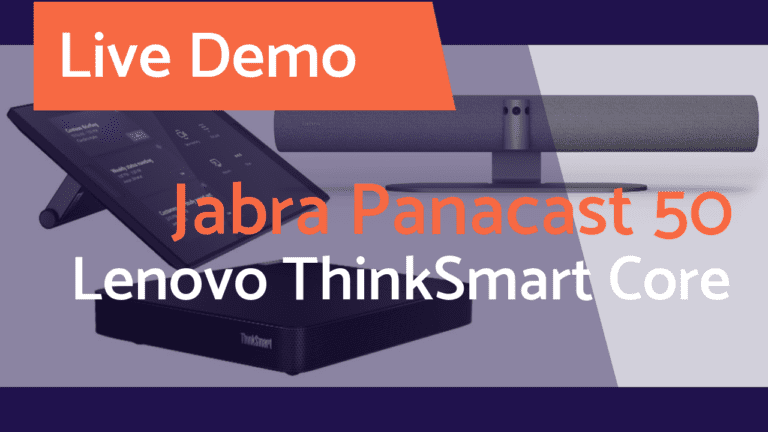
    Jabra Panacast 50 + Lenovo ThinkSmart Core: Microsoft Teams Rooms Devices for Windows

    ByRagnar Heil April 1, 2022August 17, 2022

    Video conferencing room solutions for Microsoft Teams Rooms and Zoom Rooms often include a touch controller. Jabra is not offering these touch devices and have announced a partnership with Lenovo globally. Its rotatable 10.1-inch touchscreen display makes it easy for members of the group to share control of the meeting Panacast 50 could be used…

    Read More Jabra Panacast 50 + Lenovo ThinkSmart Core: Microsoft Teams Rooms Devices for WindowsContinue

  • Microsoft Teams Meeting RTMP YouTube
    Microsoft Teams | Streaming

    How and why to live stream your Microsoft Teams Meeting or Webinar via RTMP to YouTube 

    ByRagnar Heil April 1, 2022April 7, 2022

    Introduction  In this post, I will show the value of connecting your Microsoft Teams Meetings to a Video Live Stream using RTMP  to third-party platforms like YouTube, Facebook, Twitch, Restream, and many others. RTMP was originally a proprietary protocol developed by Adobe for streaming audio, video, and data over the internet – now available for…

    Read More How and why to live stream your Microsoft Teams Meeting or Webinar via RTMP to YouTube Continue

  • Poly Studio P5 Home Office Kits: Full Review of Alex & Ragnar Show Raffle Prices
    Uncategorized

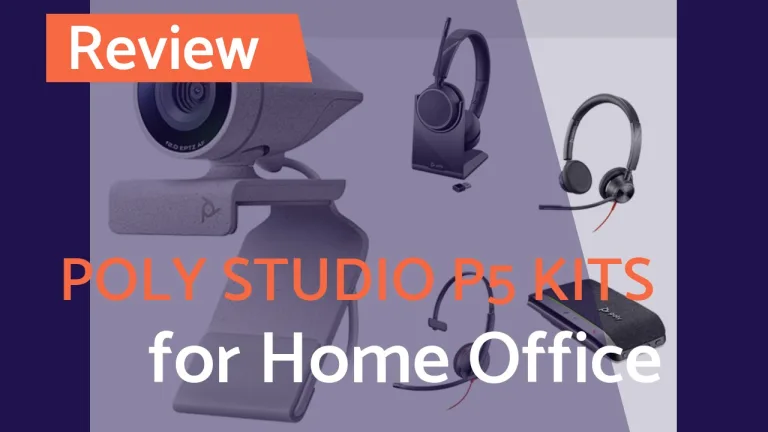
    Poly Studio P5 Home Office Kits: Full Review of Alex & Ragnar Show Raffle Prices

    ByRagnar Heil March 26, 2022May 13, 2025

    Poly is sponsoring our “Alex & Ragnar” Video Live Streaming Show. Now I want to present and review our raffle prices in a Poly Studio P5 Home Office Kits Full Review – Poly Studio P5 Webcam and Blackwire 3210 Headset (https://geni.us/4A8ukB) – Poly Studio P5 Webcam and Blackwire 3325 Headset (https://geni.us/t25WBLs) – Poly Studio P5…

    Read More Poly Studio P5 Home Office Kits: Full Review of Alex & Ragnar Show Raffle PricesContinue

  • Alex & Ragnar Show #72
    Lists | Microsoft 365 General | Microsoft Teams | Microsoft Viva | PowerAutomate | Streaming

    Alex & Ragnar Show #72 mit Andreas Schlüter: konsolidierte Aufgabenlisten in Microsoft 365

    ByRagnar Heil March 17, 2022March 17, 2022

    ⚡ Alex&Ragnar # 72 mit Andreas Schlüter und Teil II der konsolidierten Aufgabenlisten ⚡

    Read More Alex & Ragnar Show #72 mit Andreas Schlüter: konsolidierte Aufgabenlisten in Microsoft 365Continue

  • Cast your PC to Microsoft Teams Rooms
    Devices | Microsoft Teams

    Cast your PC to Microsoft Teams Rooms

    ByRagnar Heil March 9, 2022March 10, 2022

    Maybe you a using Miracast or Apple TV and cast videos or photos from your mobile devices to your family TV. It could also be that you are already casting from your Microsoft Teams Mobile App to your Meeting powered by Microsoft Teams Rooms (MTR). Now Microsoft is rolling out the capabilities to cast from…

    Read More Cast your PC to Microsoft Teams RoomsContinue

  • Alex& Ragnar # 71 mit Benjamin Stierle von Valprovia zu Microsoft Teams Governance
    Governance | Microsoft Teams | Streaming

    Alex & Ragnar Show #71 mit Benjamin Stierle von Valprovia zu Microsoft Teams Governance

    ByRagnar Heil March 3, 2022March 3, 2022

    ⚡ Alex& Ragnar # 71 mit Benjamin Stierle von Valprovia ⚡ Einen absoluten Experten in Sachen Microsoft Teams Governance haben wir am Donnerstag, 3. März, um 21 Uhr zu Gast 😎 Valprovia CTO Benjamin Stierle wird mit uns über das Teams Center sprechen, aber auch Themen wie Produktivität oder Automation stehen auf dem Plan 🤩…

    Read More Alex & Ragnar Show #71 mit Benjamin Stierle von Valprovia zu Microsoft Teams GovernanceContinue

  • Beyerdynamic Space: New Speakerphone for Hybrid Work launched today (Zoom certified)
    HiFi | Musik | Review | Speaker Phones

    Beyerdynamic Space: New Speakerphone for Hybrid Work launched today (Zoom certified)

    ByRagnar Heil March 3, 2022

    Beyerdynamic launched a new Speakerphone today called \”Space\” it is designed for Hybrid Work where you are blending between business calls and video conferences, listening to music, podcast or news/videos We are testing it in smaller and medium meeting rooms (thank you, www.tagungsraeume-kassel.de for your hospitality) – I am showing you main values and most…

    Read More Beyerdynamic Space: New Speakerphone for Hybrid Work launched today (Zoom certified)Continue

  • Why Yammer? Perspectives from community professionals
    Microsoft Viva

    Why Yammer? New Podcast about perspectives from Community Professionals

    ByRagnar Heil February 28, 2022December 17, 2023

    Together with Rebecca Jackson (Senior Consultant at Avanade, Australia) we are discussing and reflecting a Blogpost “Why Yammer? Perspectives from community professionals” published at Microsoft Tech Community Listen here to this Podcast

    Read More Why Yammer? New Podcast about perspectives from Community ProfessionalsContinue

  • Microsoft Teams: Hide your own video in meetings
    Microsoft Teams

    Microsoft Teams: Hide your own video in meetings

    ByRagnar Heil February 21, 2022February 21, 2022

    Currently, the user’s video is displayed at the bottom right corner of the meeting screen. A new feature (Roadmap Item 86370) allows users to hide their own video during a meeting. According to Microsoft, this will help reduce distractions during the call while still having your video available for other participants.  Hide your own video…

    Read More Microsoft Teams: Hide your own video in meetingsContinue

Page navigation

Previous PagePrevious 1 … 23 24 25 26 27 … 78 Next PageNext

© 2026 Ragnar Heil (MVP): Empowering M365 with AI - WordPress Theme by Kadence WP

  • About Ragnar / Impressum
  • Alex & Ragnar
  • book
  • Conferences
  • Copilot
Facebook X Instagram YouTube Medium TikTok Linkedin Threads Email
  • About Ragnar / Impressum
  • Alex & Ragnar
  • book
  • Conferences
  • Copilot
Search